Itineraries that survive the bus
Plan call times, load-in, travel, and buffers, then publish a versioned itinerary for families and staff. When the plan changes, the version says so.
Praxis Percussion Program · private preview
The part general school software does not do well for percussion. Program Core brings classes, contest and performance itineraries, load sets, rehearsal plans and logs, concert programming, printable programs, the sheet music library, instrument inventory, and reviewed rubrics into one adult operations workspace. It holds no learner records.
Release state: Praxis Percussion Program is in private preview. Public checkout and learner rollout are not open; a reviewed request opens a 30-day trial, and purchasing is arranged with us directly. Authorized preview users can open Program Core.
Program demo
Cityville ISD is a fictional 6–12 program: three middle-school feeders and a high school, with concert cycles, contest days, load sets, and inventory already filled in. Townview shows a smaller one-feeder program. Both are read-only and need no account.
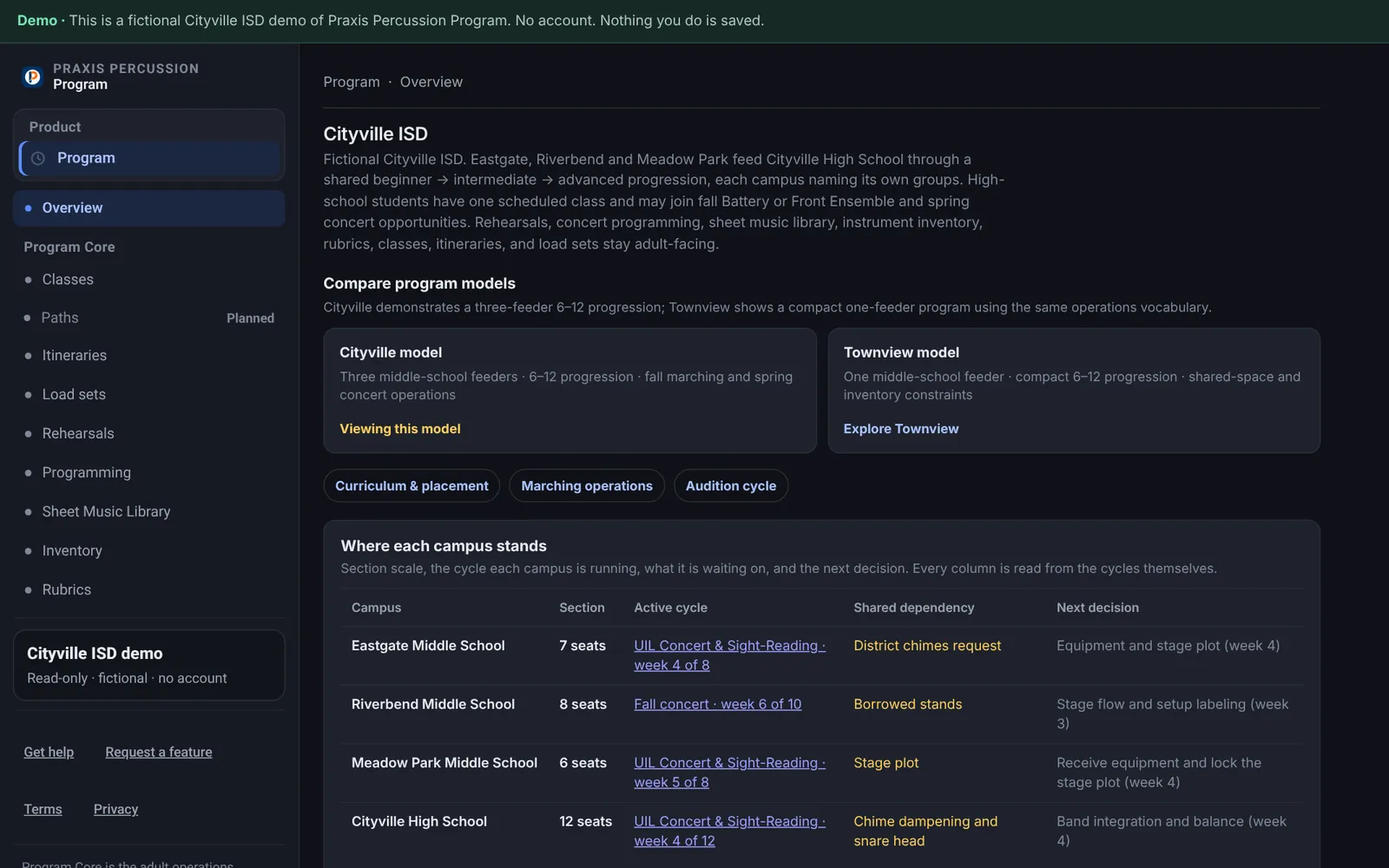
Fictional sample data from the Cityville ISD demo · read-only.
Pricing
Priced so a director can pay personally, or a booster organization, activity fund, campus, or district can cover the year.
$295 / year
Or $29/month. Annual is the primary offer.
The same complete workspace either way. Paid annually, the year costs $53 less than twelve monthly payments.
Card checkout is not open yet. Request a Program trial and we open 30 days; when you are ready to buy, a school PO, campus or booster funds, or a personal payment is arranged with us directly through the contact page. Multi-campus or district-wide scope is a custom conversation.
Program first-payment refund: you may request a full refund of your first settled payment within 30 days after that payment settles. This applies to annual and monthly plans, including purchases paid through a manual school or purchase-order process. See the Terms.
The Program job
Classes, itineraries, load sets, rehearsals, programming, the Library, Inventory, and rubrics are the workspace. Follow one rehearsal-to-contest cycle step by step in how it works.
Plan call times, load-in, travel, and buffers, then publish a versioned itinerary for families and staff. When the plan changes, the version says so.
Build the kit each ensemble travels with. An itinerary merges several into a single deduplicated loading list, so the same timpani are not loaded twice or forgotten once.
Set repertoire-linked priorities going in, record what actually happened coming out, and carry the fixes and trends into the next rehearsal focus.
Plan shows, pieces, parts, performances, and ensemble goals — and print the concert program from the same records rather than retyping it.
The Library and Inventory answer whether a piece is playable with the instruments on hand, and Inventory carries measured footprints rather than catalog guesses.
Draw the stage plot per piece and plan the truck from the same measured footprints, so setup and packing stop living in one person's head.
Track vendors, funding sources, quotes, and purchase records; keep consumables at par with a usage forecast; and check gear in and out with QR tags and a camera scan instead of a clipboard.
Inventory and the Sheet Music Library export privacy-safe CSVs, and every record keeps its audit trail.
Program is bought on its own, for one program. Studio and Tech are separate workspaces with their own prices.
What it leaves out
Two lines Program does not cross. The details a district reviewer needs are on district review.